
Learn industry-specific skills that open new doors

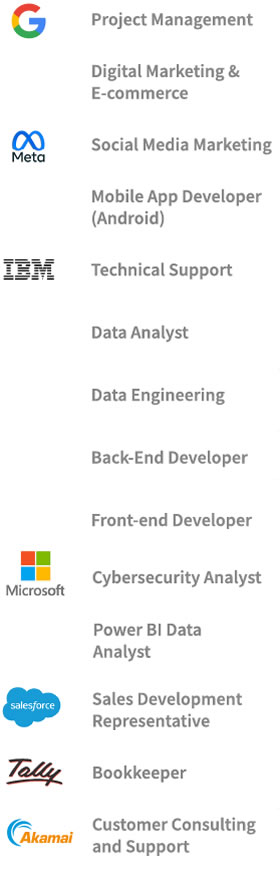
UNM Anderson is proud to partner with Career Academy from Coursera, one of the world’s leading online learning platforms. Through this collaboration, Anderson students can explore different career paths, master real-world skills through hands-on learning in fields like data analytics, digital marketing, data science, and more, and earn Professional Certificates from the world’s leading companies, including Google, Meta, and IBM.

This opportunity is designed to complement your Anderson degree, helping you build job-ready skills and earn recognized professional certificates in areas like data analytics, project management, and digital marketing. It’s a powerful way to strengthen your resume, gain specialized knowledge, and prepare for what’s next in your career.

The partnership also gives students access to Coursera’s Future of Work, which examines how AI, automation, and emerging technologies are transforming industries, and also develops skills on the human side of work—leadership, management, collaboration, and individual growth.
Read more about Anderson's partnership with Coursera

Questions about Coursera Career Academy?

How can I get help with Career Academy?

Visit the Learner Help Center for problems with:

  • Logging in or combining accounts
  • Accessing certificates
  • Enrolling or viewing course content

How do I know if I'm logged in correctly?

  • Make sure to join Coursera using the "Sign up with your organization" option, and enter "unm.edu" and your NetID.
  • If you see a black menu bar at the top of your screen after you join or log in, you are logged in as an individual, and not as a Career Academy member.
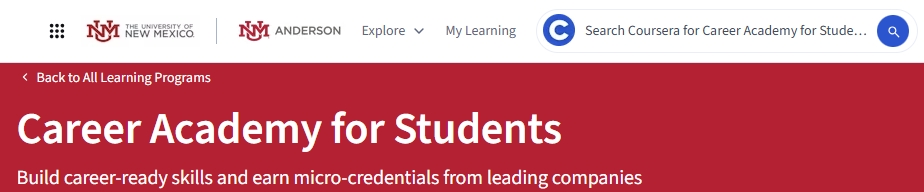
  • When you're logged in correctly, you'll see the UNM and Anderson logos at the top left of the screen, with a red "Career Academy" banner below them.
Coursera Career Academy banner shows you're logged in correctly.

How do I switch between Career Academy and my personal Coursera account?

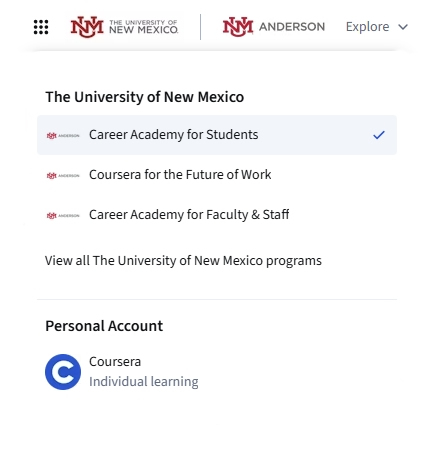
If you're enrolled in multiple programs, click the dot grid icon at the upper left, next to the UNM logo, and select the program you want to view content for.

Use the dot grid icon to view all Coursera programs you belong to.

Why was I asked to pay for a course?

Only certain courses are included in Anderson's Coursera partnership. Make sure you joined Coursera using the "Sign up with your organization" option, entering unm.edu and your NetID. Then choose to join Career Academy or Coursera for the Future of Work to access included courses.


Learn valuable career skills with Anderson and Career Academy from Coursera